What it does
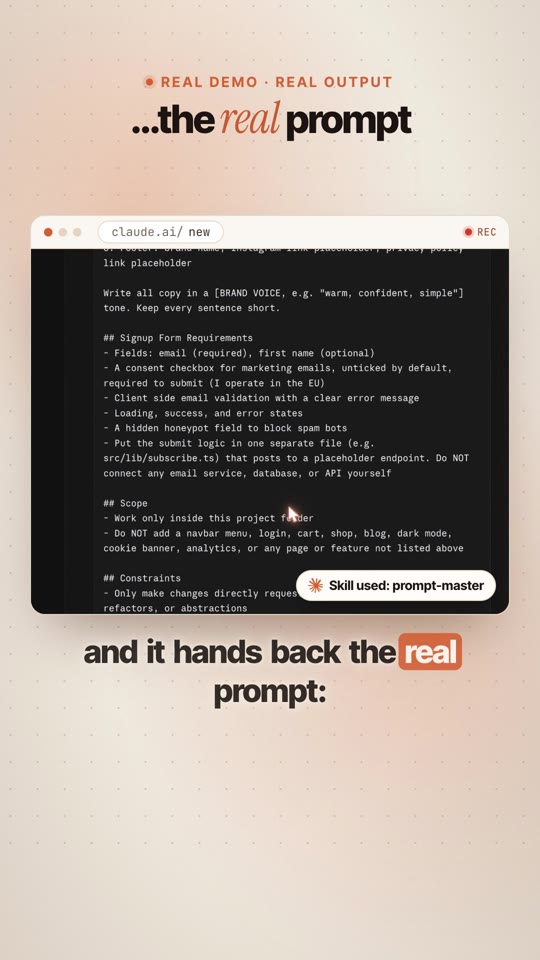
This is the real test from the reel. One messy sentence went in:
/prompt-master landing page for my coffee brand, modern vibe, needs ppl to sign up. its for claude code…and this came back ↓
🎯What to buildObjective · page sections, in order · design direction
🧱What Claude can touch"Work only inside this project folder" · no extra features
✅How to know it workedAcceptance criteria: "npm run build finishes with zero errors"…
✋When to stop and ask you"Stop and ask me before deleting any file, adding any dependency…"
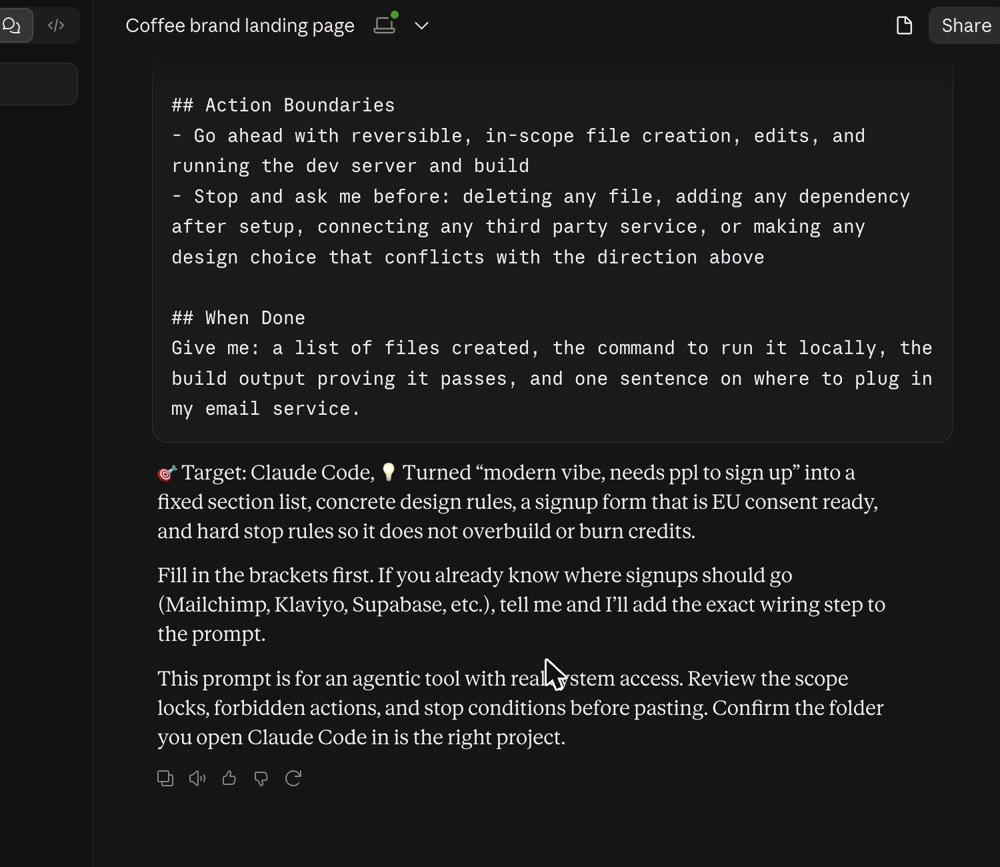
The real answer. It ends with the tool it wrote the prompt for: "🎯 Target: Claude Code".
What you need
💬A Claude accountAny plan works, even free. Use claude.ai or the Claude app.
⚙️One setting turned onIn Settings → Capabilities, turn on Code execution and file creation. Skills need it.
🖱️2 minutesNo coding. You download one file and upload it.
The 3 steps
You only do this once. After that, Prompt Master is always there.
1
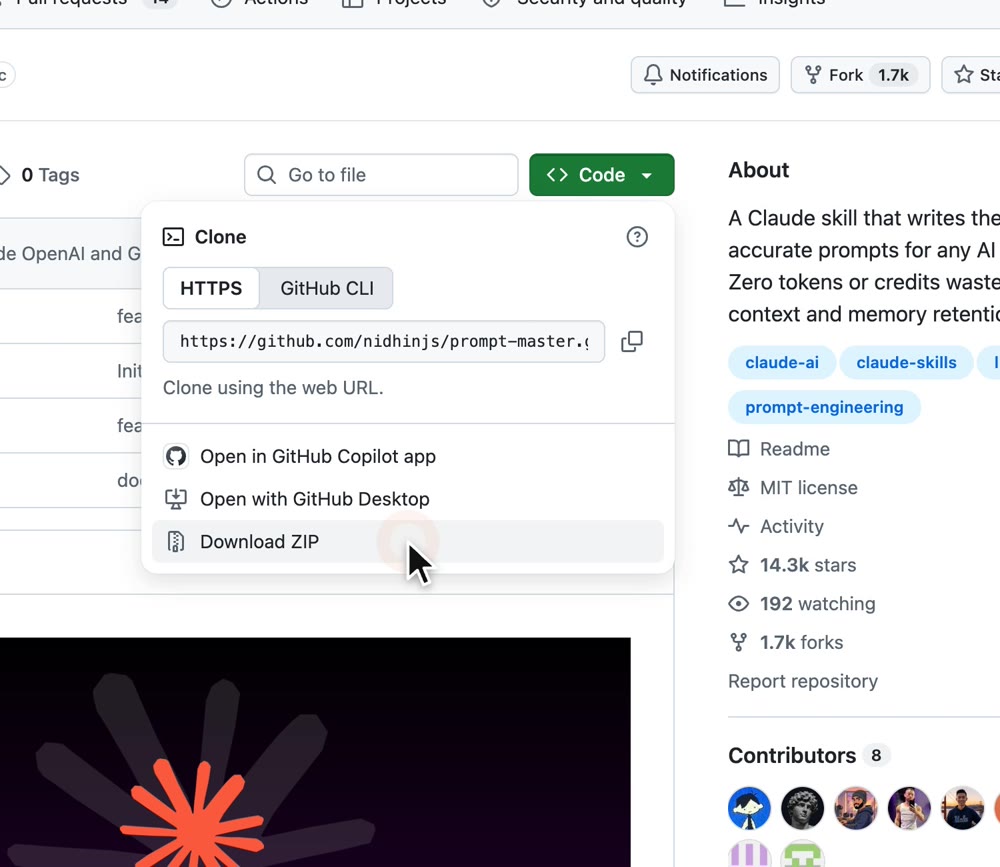
Download the ZIP
- Open the skill on GitHub.
- Click the green Code button.
- Click Download ZIP. Keep it zipped.
Code → Download ZIP. You get a file called prompt-master-main.zip.
2
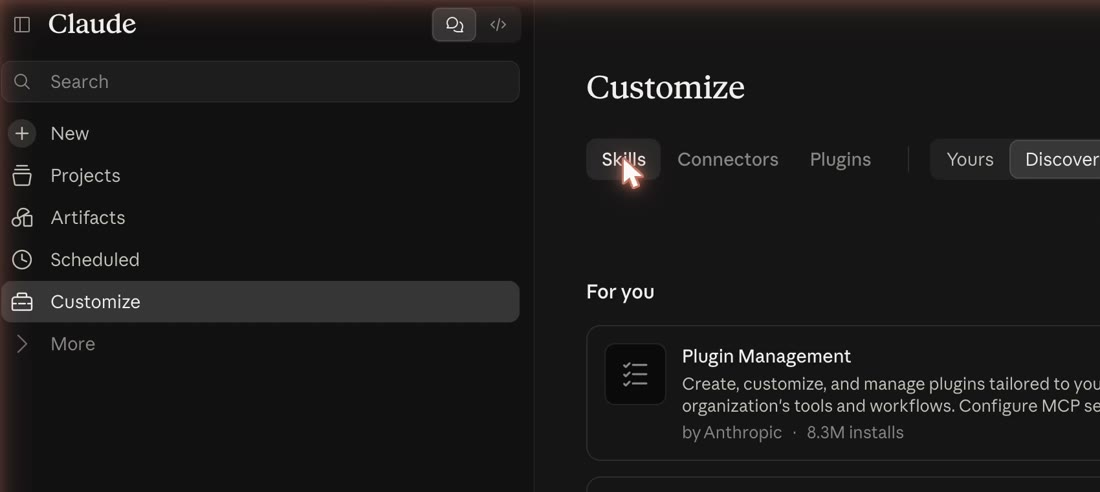
Open Claude → Customize → Skills
- Open claude.ai or the Claude app.
- In the left sidebar, click Customize.
- Click the Skills tab.
3
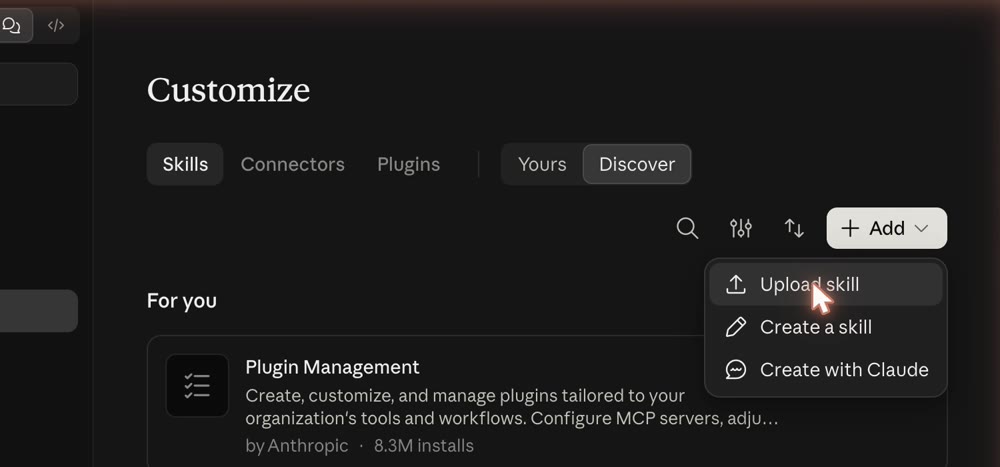
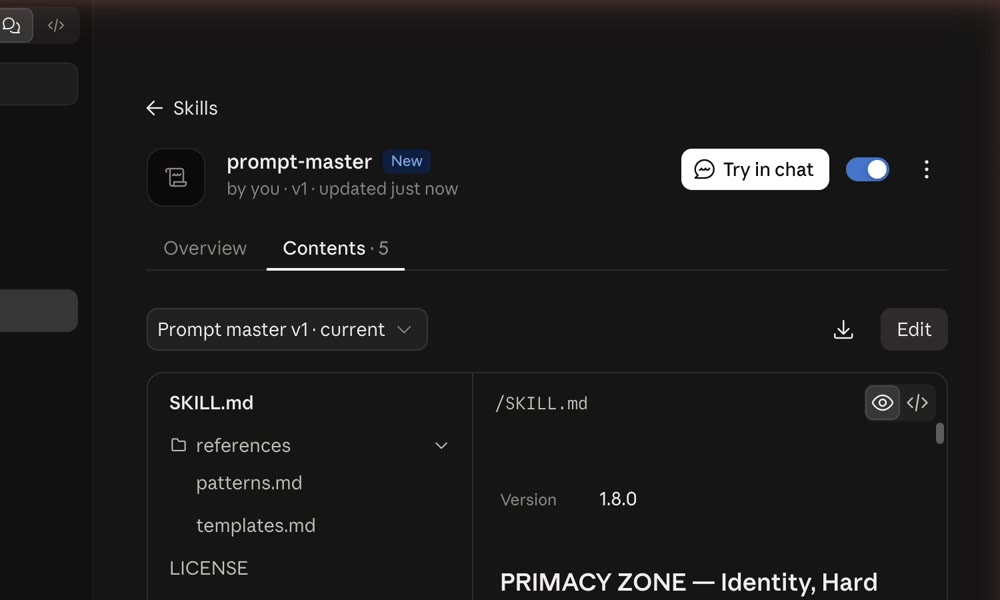
Upload it
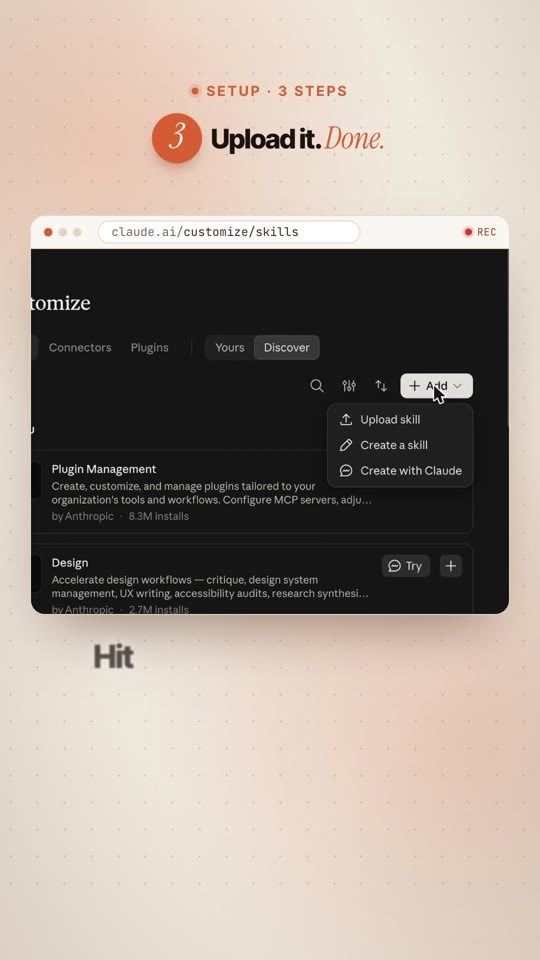
- Click + Add, then Upload skill.
- Choose the prompt-master-main.zip file.
- Click Upload. Done.
You'll see prompt-master with the switch turned on.
How to use it
→
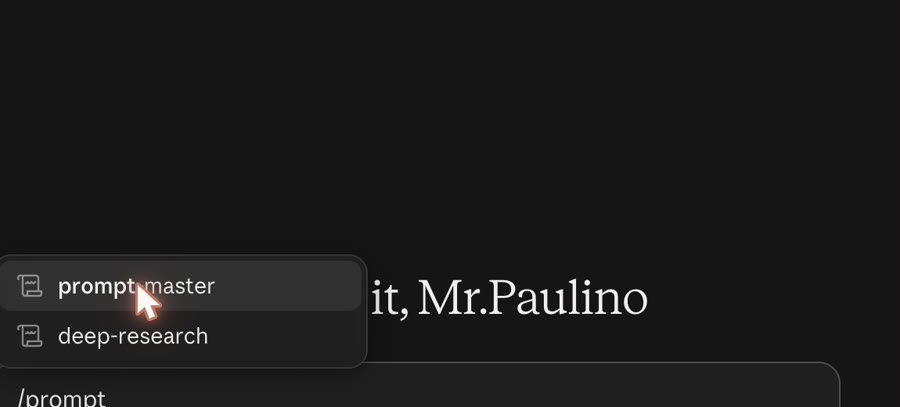
Type /prompt-master, then your messy idea
- Start a new chat.
- Type /prompt-master and pick it from the list.
- Write what you want in one sentence. Say which tool it's for (Claude Code, ChatGPT, Cursor, Midjourney…).
- Send. Fill in the parts in [brackets], then paste the prompt where you need it.
💡Use the slash. In my first test I just asked for "a prompt" and Claude answered without the skill. Typing /prompt-master makes sure it's used.
❓It may ask you a few questions (3 at most) if something important is missing. Answer them. That's the point.
Try these first
Copy one, paste it into Claude, change the details to yours.
Website · Claude Code/prompt-master landing page for my coffee brand, modern vibe, needs ppl to sign up. its for claude code
Email · ChatGPT/prompt-master cold email to restaurant owners about my booking app, short, not salesy. for chatgpt
Image · Midjourney/prompt-master product photo of my candle on a marble table, cozy morning light. for midjourney
Code fix · Cursor/prompt-master users get logged out after refresh, fix it without touching anything else. for cursor
Content · Claude/prompt-master 30 second reel script about my gym's new morning class, fun, ends with a call to action. for claude
What it checks
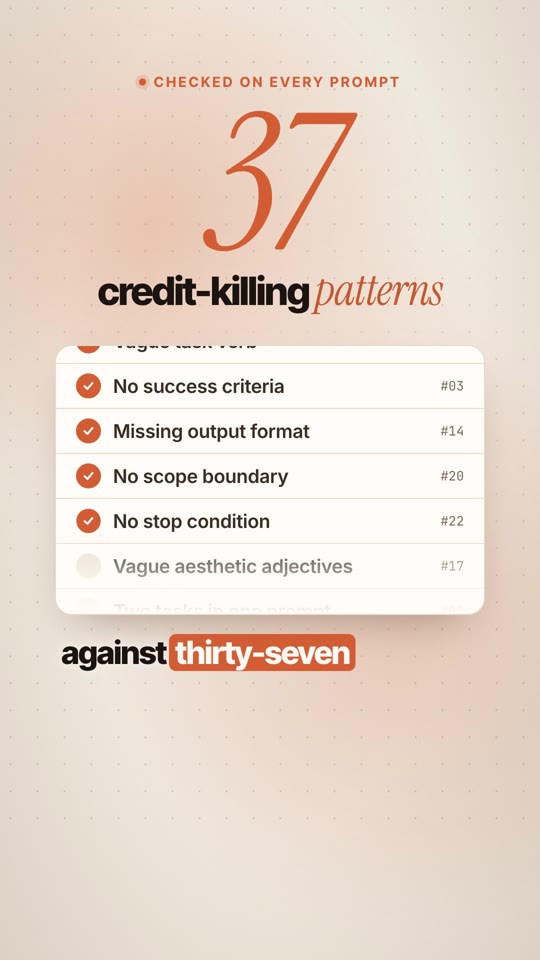
Every prompt is checked against 37 common mistakes that waste messages. A few of them:
Vague task"help me with my code" becomes one clear job.
No output formatIt says exactly what the answer should look like.
No limitsIt says which files Claude may touch, and what not to add.
No stop ruleIt says when to stop and ask you first.
No finish lineIt adds a simple "done when…" check.
Two jobs in oneIt splits them into two prompts.
If something looks off
| I don't see Skills in Customize | Turn on Code execution and file creation in Settings → Capabilities, then reload. |
| The upload fails | Upload the ZIP as it is. Don't unzip it first. |
| Claude answered without the skill | Start your message with /prompt-master. |
| The prompt doesn't fit my tool | Say the tool name in your sentence, e.g. for cursor. |
| New chat forgot my project | Paste your project details again. The skill doesn't carry memory between chats. |
🙌Credit where it's due: Prompt Master is made by nidhinjs and shared for free under the MIT license. Give the repo a ⭐ if it saves you messages.